
 Join our Discord
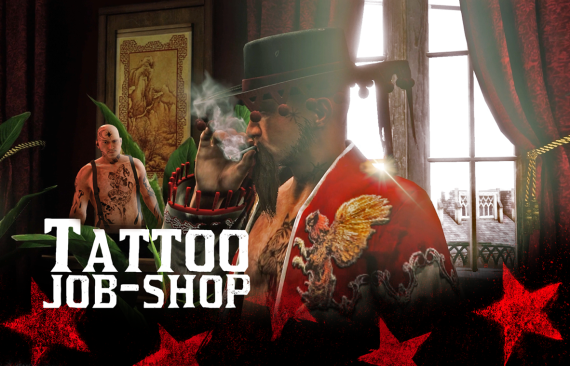
 Dodiban Scripts - Tattoo System RedM
A comprehensive and immersive tattoo system for RedM, featuring realistic tattooing mechanics, multiple skin variants, and an intuitive UI mini-game.
VIDEO: https://www.youtube.com/watch?v=MVc1oJR2EHk
> ⚠️ **IMPORTANT:** The first time you install the script, it will automatically create the database table. **However, you must restart the script twice** before joining the server for the first time.
On the first start, you may get a "table does not exist" error (this is normal). On the second restart, the table will be created correctly and the system will work as expected.
**Only join the server after the second restart!**
> ⚠️ **RedM Limitation:** Due to a client-side and server-side limitation in RedM, it is currently not possible to use makeup or eyebrows together with facial tattoos. If a player applies a face tattoo, makeup and eyebrow overlays may disappear until the tattoo is removed or the game is restarted. This is a RedM engine limitation, not a script bug.
 Features
 Realistic tattooing mechanics with progress system
- Multiple skin variants for both male and female characters
 Interactive tattooing process with bleeding effects
 Intuitive camera controls
 Integrated payment system
 Player-to-player tattooing
 Persistent tattoos across sessions
 Support for both body and face tattoos
 Requirements
- VORP Core
- VORP Character
- VORP Inventory
- RSG Core
- RSG Inventory
 Installation
Attention: RedM artifacts must be version 14862 or newer. If you use an older version, the system may not work correctly.
Always download the latest artifacts to ensure compatibility and avoid bugs.
- Download the latest release of artifacts to your server and install: 14862 (version or newer) Artifacts RedM:
https://runtime.fivem.net/artifacts/fivem/build_server_windows/master/
- Extract the files to your resources folder
- Add
ensure dodi_tprojectandensure dodi_tattoosdecalsto yourserver.cfg - Configure the
config.luato your preferences - Restart your server
 Commands
/reloadtattoo- Forces tattoo reload
Controls
- Mouse Movement - Control tattoo machine
- Left Click - Apply tattoo
- Camera Controls:
 Move camera up
 Move camera down
- ⟲ Rotate left
- ⟳ Rotate right
 Zoom in
 Zoom out
 Configuration
Database:
Tattoo are saved automatically in the character_tattoos table in your database.
You need to manually add items to the DB.
You need to add the following items to your item database for the system to work:
tattoomachine(tattoo machine, used to tattoo other players)tickettattoo(self-tattoo ticket, used to tattoo yourself)
The system can be configured through config.lua:
- Tattoo designs and prices
- Skin variants
- Payment options
- NPC settings
Features in Detail
Tattooing Process
- Real-time progress tracking
- Bleeding effects
- Cleaning mechanics
- Payment validation
Camera System
- Dynamic positioning
- Smooth transitions
- Multiple viewing angles
- Zoom functionality
Skin System
- Multiple variants per gender
- Texture mapping
- Persistent across sessions
- Real-time preview
 License
This project is licensed under the MIT License - see the LICENSE file for details.
This script is protected by copyright.
All rights reserved to Dodiban.
Unauthorized distribution, resale, or modification is strictly prohibited.
If you obtained this script from any source other than Dodiban or an authorized distributor, you are violating the law and may be subject to legal action.
 Credits
- Tafé (YourMaps)
- Sheep Scripts
- Koda Scripts
- RedM Community
- All contributors
 Bug Reporting
If you find a bug, please open an ticket issue with:
- Bug description
- Steps to reproduce
- Expected behavior
- Screenshots (if applicable)
--- Made with  for the RedM community
FRAMEWORKS: VORP & RSG